Designing a network you can read
I designed and built a workspace where logistics planners arrange hubs in travel order, check the route on a map and correct bulk-entry errors without rebuilding the upload.
Transport management · Route, lane, and serviceability configuration
Explore Fynd TMS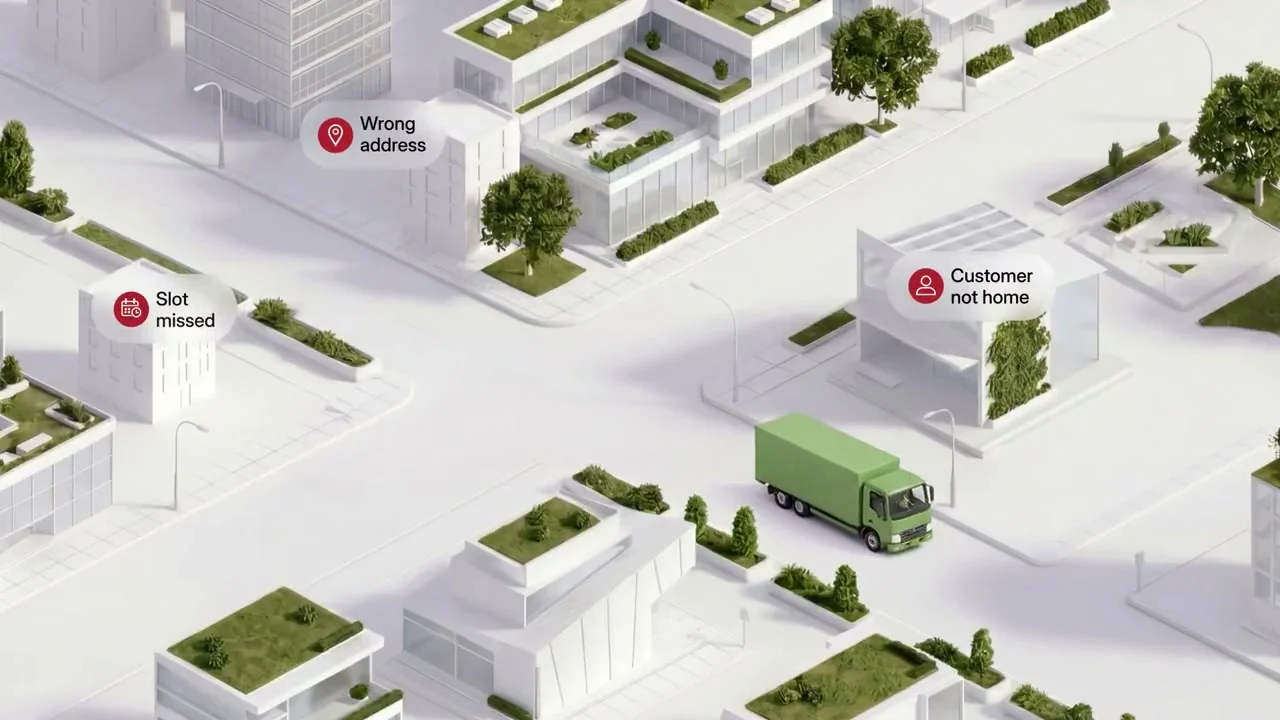
The starting point
Configure a journey, not a database.
Planners had backend routes, lanes and serviceability—but no configuration UI. I organised their dependencies around an ordered hub journey, so people could see the network rather than translate database fields.
- The difficulty
- Backend route, lane and serviceability rules had no planner-facing configuration workspace.
- What I changed
- An ordered hub journey with a map preview, explicit status changes and a recoverable bulk-entry flow.
What informed the design: API references and stakeholder walkthroughs mapped the relationships between hubs, routes, lanes and serviceability. I translated those dependencies into the order of the planner’s journey.
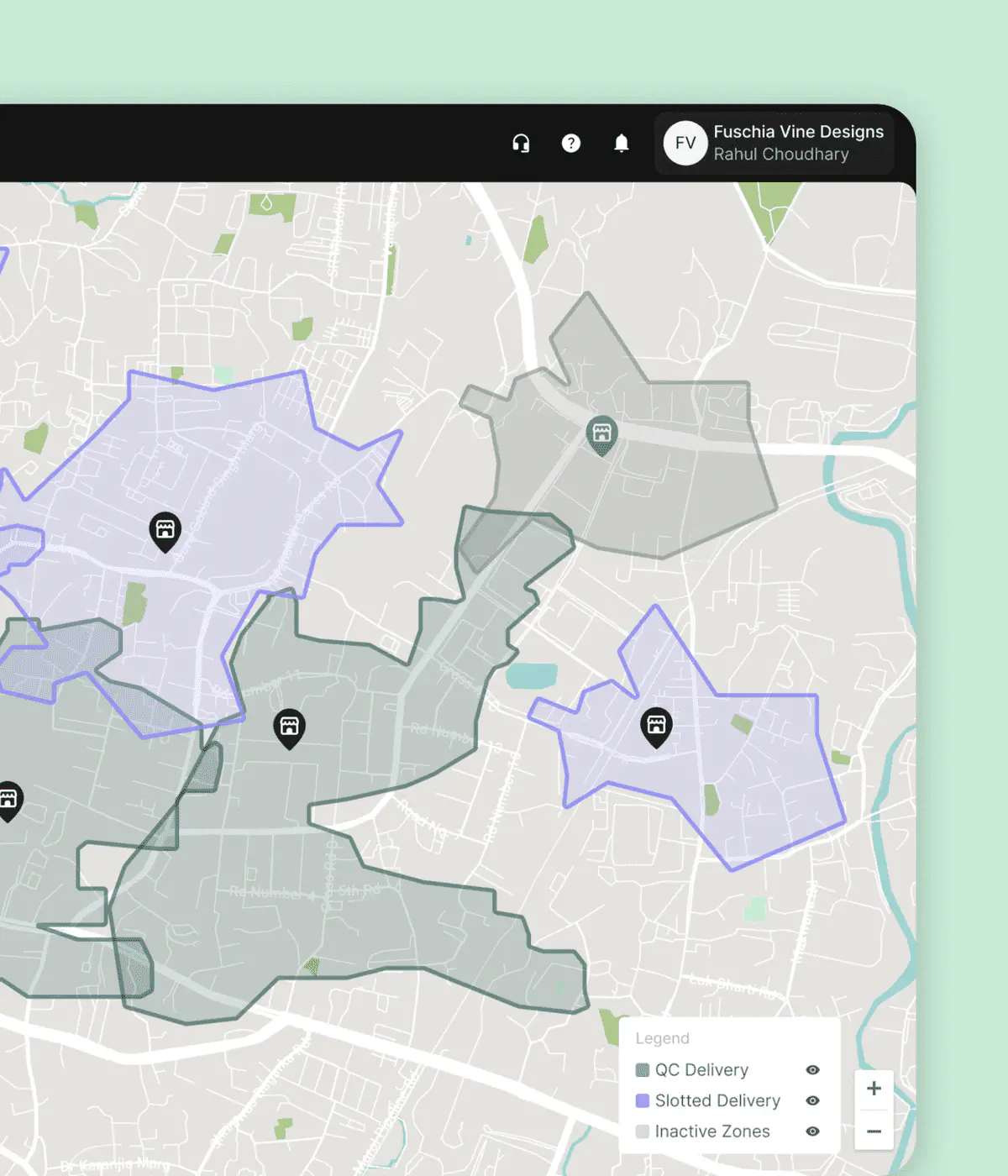
The product around the work
From delivery zones to hub journeys.
Fynd TMS already supported local delivery through store-based serviceability zones. My work added a planner-facing workspace for mid-mile routes, lanes and serviceability within that existing platform.
The model changes: a delivery zone describes where a store can serve; a route describes the ordered journey between hubs. The interface needed to make that distinction clear.
See the route workspaceCritical screen · route creation
Build the journey. See the route take shape.
An ordered hub list and live map share one view. Planners check the complete journey before saving.
Primary user momentA network planner reviews three hubs in travel order, checks the map and confirms the generated route details before saving.
A trade-off I made: the product favoured modals, but route creation needed space for both the form and the map. I used a full page for the journey and kept modals for compact edits.
Error prevention / Duplicate routes
Same endpoints don’t always mean the same route.
A planner could recreate an existing journey—or intentionally connect the same hubs another way. I designed two distinct notices so the interface informs that decision without treating every match as a mistake.
- Same stops, same order
- “This route already exists.” A warning identifies the matching journey. Exact stop-sequence matches appear first when several routes match.
- Same start and end, different path
- “These hubs are already connected.” An informational notice surfaces the alternative without calling it a duplicate. The reverse journey is treated as a different route.
Review without losing the draft. “View route details” opens the existing journey and map read-only, in place. Multiple matches offer a choice of routes, including their active or inactive status.
A deliberate trade-off: neither notice blocks creation; the planner may need a separate operational variant. Dismissal applies to the current matches, so a new conflict can surface as the journey changes.
02 / Review & recover
Make changes deliberate.
Make errors recoverable.
Status stays read-only in the inventory; consequential changes happen in detail. For bulk setup, I designed a shared template, validation and row-correction path rather than a different interaction for every entity.
The design choice: fewer quick toggles, more context before a risky change. Row-level recovery lets planners correct failed entries instead of reconstructing the whole upload.
Domain model and wireframes
System model → wireframes
The structure and wireframes behind the shipped workflow.
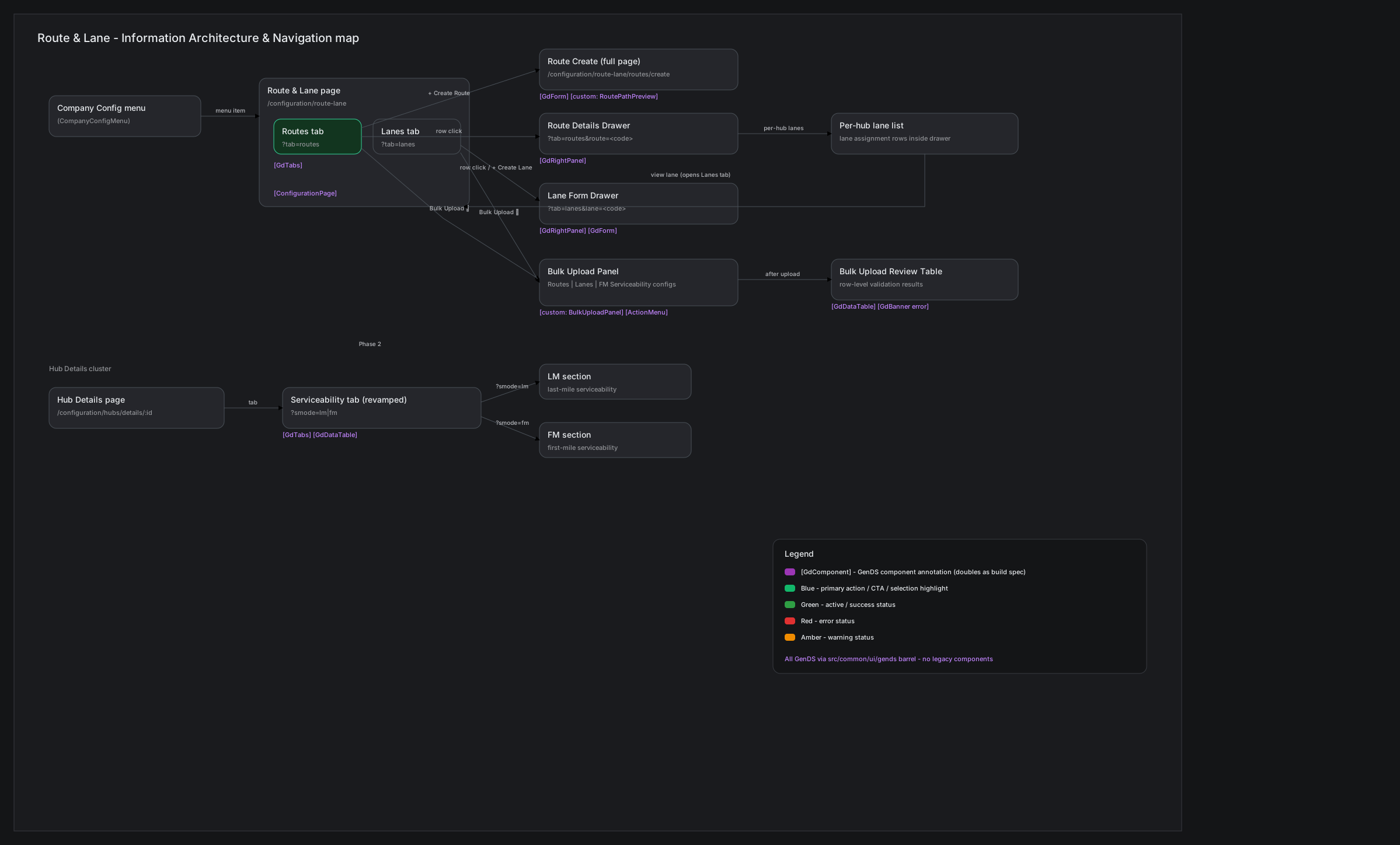
Connecting route, lane, and serviceability
Hubs → routes → lanes → serviceability: map dependencies before designing the screens.
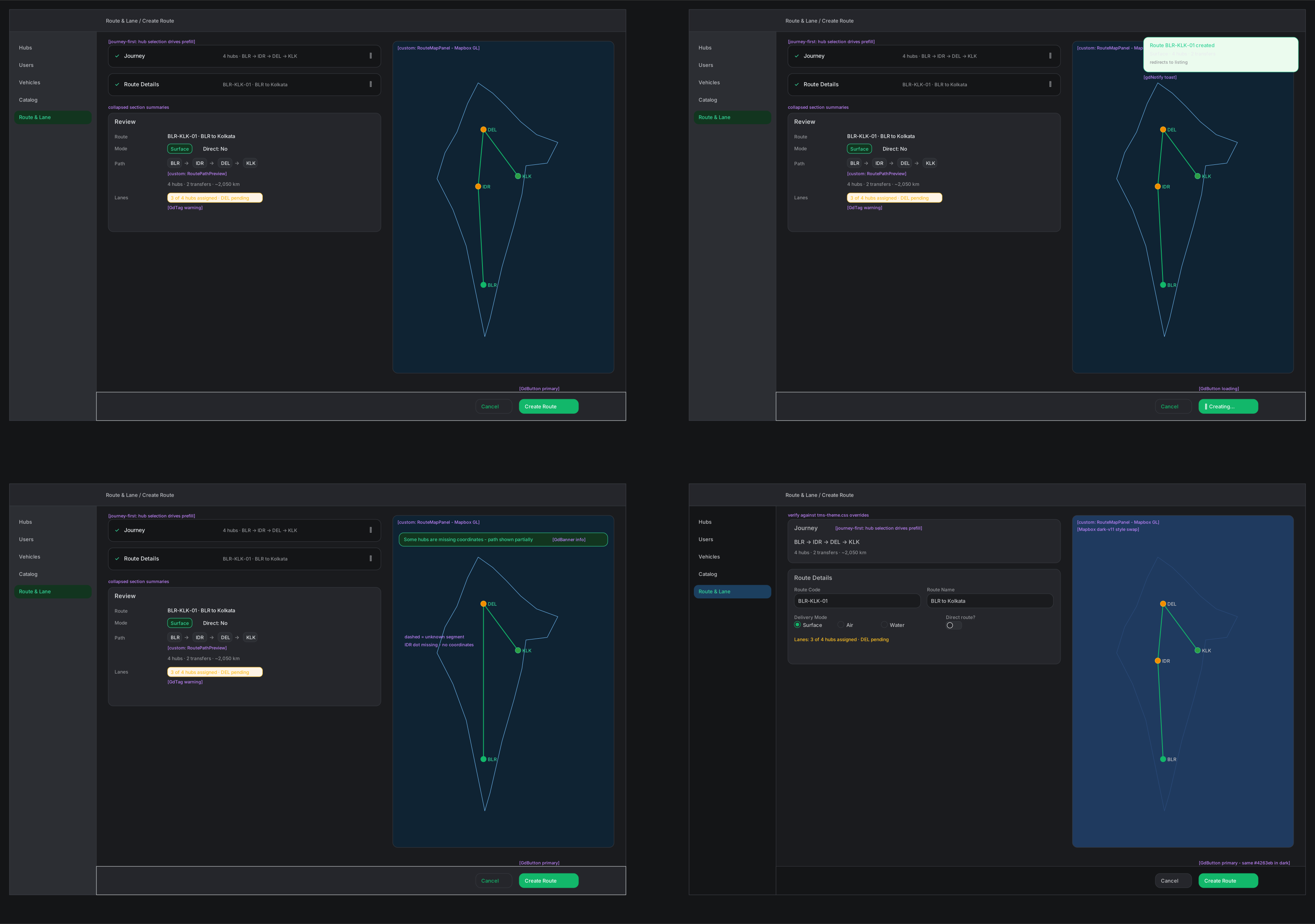
Product model
The journey behind the interface.
Set the ends
Choose origin and destination hubs; the system establishes route facts without locking later edits.
Shape the journey
Select delivery mode, directness, intermediate hubs, and optional lanes in one ordered sequence.
See it
A live map and horizontal timeline make direction, missing coordinates, and lane gaps visible.
Review and activate
Confirm the complete network path, then manage status from a consequence-aware detail view.
Research, contribution and constraints
Research & evidence
What informed the work.
Domain inquiry
Mapped route, lane and serviceability dependencies through API references and stakeholder walkthroughs.
Shared domain modelWorkflow audit
Compared legacy forms with the sequence and consequences of real planner actions.
Journey-first IAEdge-case review
Distinguished identical hub sequences from alternative paths with the same endpoints, alongside missing data, partial failures and risky status changes.
State and recovery mapBuild feedback
Used implementation feedback to refine focus, table density, URL state and map behaviour.
Production-ready flowsI owned product design and front-end implementation. API contracts evolved during the build; the interface had to fit the existing product shell without regressing quick-commerce serviceability.
What changed
A network people can inspect and correct.
The network reads as one journey
Routes, hubs, lanes and maps share one journey model, not disconnected fields.
Existing journeys surface during creation
Duplicate and alternative-path notices let planners inspect matching routes without leaving their draft or blocking intentional variants.
Bulk work has a recovery path
Row-level validation and resubmission make partial failures recoverable.
These are implemented workflow capabilities. A measured reduction in setup time or configuration errors is not yet available.
How I would measure this change
Next validation step
Valid route creation and recovery
- Representative task
- Create an ordered route, then correct an upload containing invalid rows.
- What to measure
- Track valid routes on the first attempt and successful correction of failed rows, alongside task time and support requests.
A faster save is not a success if the route is invalid or the planner misses the effect of a status change.